Professional templates
Choose clean layouts for graduate, technical, executive, creative, and international applications.
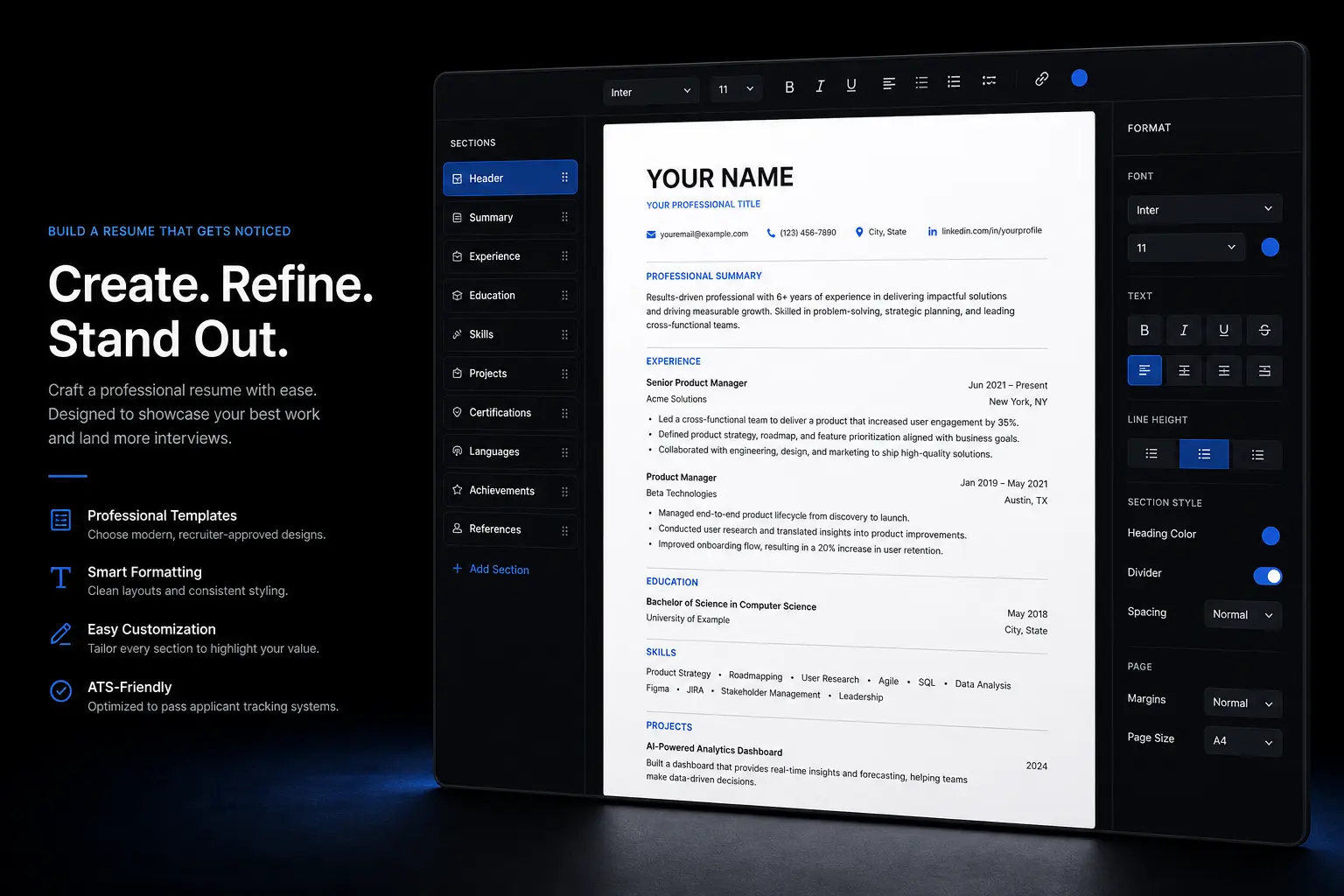
Use guided resume sections, professional templates, and connected career tools to create a focused resume for each job application.
Build guided resume sections with professional templates and ATS-friendly structure.
VisiResume connects structured resume sections with templates, ATS checks, cover letters, and job matching so each application can become more targeted.
Start building your resumeChoose clean layouts for graduate, technical, executive, creative, and international applications.
Build summary, experience, education, skills, projects, certifications, and links in a structured flow.
Use standard headings, readable formatting, and clear content that applicant tracking systems can parse.
Prepare PDF and DOCX-ready resume versions for different roles and application channels.
Use the editor preview, guided sections, and templates to move from blank page to application draft.
Watch the resume layout update as you refine content and structure.
Fill summary, experience, education, skills, and supporting details in order.
Start from clean layouts built for readability and ATS-friendly structure.
Start with a design that fits your career stage and target role.
Fill structured sections with achievements, scope, tools, and measurable results.
Use ATS and match tools to identify missing keywords and weak sections.
Save a tailored resume version for each opportunity.
Explore related templates, career guides, resume tools, ATS checks, and application resources for your next step.
Find concise answers about this tool, the workflow, and what to prepare before getting started.
Start with a template, write focused sections, then check and tailor the resume before applying.
VisiResume uses essential cookies for sign-in and security. Read the cookie policy.